- Donors
- Posts
- 86
- Location
- Wales, United Kingdom
- Joined
- 8 May 2005
5800 series are nice and quiet. Nvidia's cards are just so damn noisy. All my past cards were either 4800's, 6800's or 8800's and since switching to ATi I can hear myself think over the fan.
What you could try doing is fitting it up with a different 3rd party heatskink / fan. Stock coolers are pretty shite.
old people
- Admins
- Provider & Webmaster
- Posts
- 490
- Location
- Finland
- Joined
- 1 May 2009
Nade suggested me that 3rd party heatsink twin frozr or whatever and he also said EVGA made some nice and quiet GTX builds.
- Admins
- NS1 Contributor
- Posts
- 15
- Location
- United States
- Joined
- 12 May 2010
I have 2 8800gts 512s (same card yours is just stock oc'd and a different model number) and they're only loud during bootup before windows loads the drivers. Maybe the fan speed is higher with the stock OC. It doesn't look like the cooler is any different. I'm on my laptop for the next few months so I can't tell you what my fan speeds are on them.
- Posts
- 488
- Location
- United Kingdom
- Joined
- 6 May 2005
The problem is pierow, under load it just hits 80-90 degrees (in real temperature measurements, not your joke scale) and just goes absolutely mental (100% fanspeed).
I've tried cleaning it before Danny but it's made no difference. Also, if you think it would increase the fanspeed then that's totally the opposite of what I'm after anyway.
I'll have a look at those ATI cards. However, do they have the same problem with NS that previous iterations have had? Although I doubt I'll ever play NS again...
- Donors
- Posts
- 86
- Location
- Wales, United Kingdom
- Joined
- 8 May 2005
If you feel confident enough to do that then go for it, should sort you out proper good in the end. NS uses an old version of opengl that the new cards don't get on with so well now days. But like you said, you ain't gonna play this SHIT GAME anymore.
My 5870 is idling at 37c right now.
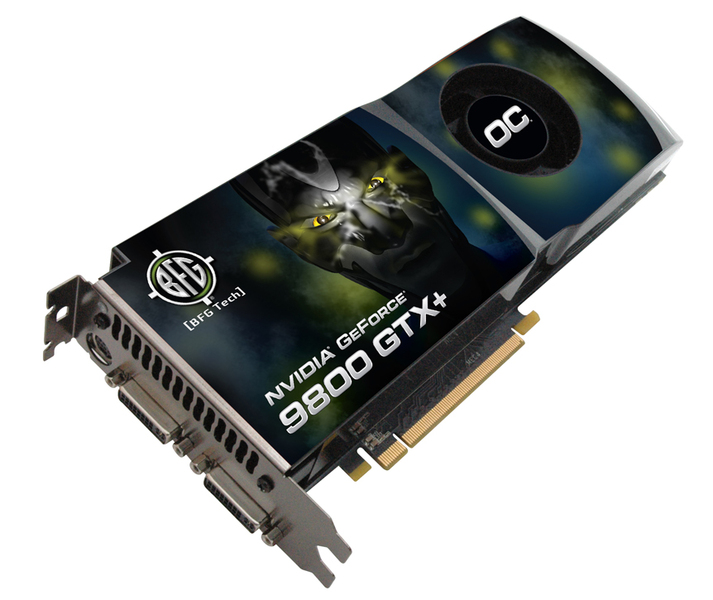
'sublime'http://www.overclock.net/nvidia/434245-how-dismantle-clean-your-9800gtx.html
This could go wrong... but mine idles at 71!!!!!!!!!!!!!!11111111111111111111eleven
So I should probably do this
Great idea. Thermal compound should be chanced around every 3 year or so. When you open the card and look at the manufacturer's thermal grease it can be so dry that it falls of when you just touch it. If you have cleaned the card from dust that would be my next best guess.
Patphat
- Posts
- 130
- Location
- Stockholm, Sweden
- Joined
- 8 February 2007
'sublime'
I've tried cleaning it before Danny but it's made no difference. Also, if you think it would increase the fanspeed then that's totally the opposite of what I'm after anyway.
No what i meant was that because of the dust (assuiming there is, and is affecting the temp) then the fan is spinning way higher than it needs to cool it down. But you say youve cleaned it already without it making any diffrence so im probably wrong :)
- Posts
- 488
- Location
- United Kingdom
- Joined
- 6 May 2005
Well yes and no Danny. The cooler is such a piece of shit you can barely get into it with cotton wool buds etc. Pretty sure the fan was clear though... dread to think about the heatsink
Will take a picture for the lulz when I open it up
- Posts
- 246
- Location
- Osaka, Japan
- Joined
- 6 May 2005
'sublime'http://www.overclock.net/nvidia/434245-how-dismantle-clean-your-9800gtx.html
This could go wrong... but mine idles at 71!!!!!!!!!!!!!!11111111111111111111eleven
So I should probably do this
GO FUCKIN CLEAN IT PAT
also open the case, might help as well
- Posts
- 488
- Location
- United Kingdom
- Joined
- 6 May 2005
I DID IT, AND IT HASN'T BLOWN UP YET. Pictures soon if anyone gives a fuck
Patphat
- Posts
- 130
- Location
- Stockholm, Sweden
- Joined
- 8 February 2007
Go ahead and post them =D Did u put new thermal paste on it aswell?
- Posts
- 405
- Location
- London, United Kingdom
- Joined
- 28 April 2007
'Danny'Go ahead and post them =D Did u put new thermal paste on it aswell?
You're kidding, right? If you remove cooler(cpu/gpu...) you must put a new layer of thermal paste.
NEVER USE THE OLD ONE.
Patphat
- Posts
- 130
- Location
- Stockholm, Sweden
- Joined
- 8 February 2007
'bHack'
You're kidding, right? If you remove cooler(cpu/gpu...) you must put a new layer of thermal paste.
NEVER USE THE OLD ONE.
Yeah, just making sure he does that XD
- Donors
- Major Server Funder
- Posts
- 614
- Location
- Wiener Neudorf, Austria
- Joined
- 16 April 2008
so u also might wanna remind him to scrape of the rest of the old paste first !? !
Lets assume he is a total moran and remind him of switching off power first?
old people
- Admins
- Provider & Webmaster
- Posts
- 490
- Location
- Finland
- Joined
- 1 May 2009
Yeah let's remind him to remove the GPU from the case before removing the cooler aswell!
- Posts
- 405
- Location
- London, United Kingdom
- Joined
- 28 April 2007
well, since the pics are not still here...
I think he did all wrong, starting with the last thing jiriki suggested... ;x))
Archaea
- Donors
- Movie Donator
- Posts
- 291
- Location
- Oslo, Norway
- Joined
- 6 May 2005
RIP Patrick Begley, struck dead by exploding GFX card.
#archaea @ irc.quakenet.org
minions
- Posts
- 67
- Location
- Denmark
- Joined
- 19 March 2006
tbh i think you should save up your money for future bills that's what i do but then again i have no TV and a couch facing the wall. :p