How to Bunnyhop
Bunnyhopping Guide
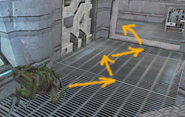
Learning how to bunny hop in Natural Selection is absolutely essential to becoming a good alien. All the best alien players know how to bunny hop and can do it extremely well they can gain ground speeds of over 500 units in only two jumps if executed correctly. There are currently two common ways to bunny-hop - either with scripts, or with your mouse wheel.
Setting Up
Firstly, it's very important to find yourself a good practice grounds to practice your bunny hop. I suggest playing offline and putting on the map ns_bhop (you can download it here ). Ns_bhop is a map that is essentially one big square track with no obstacles, which makes it an auspicious practice ground. Before you start, turn on sv_cheats 1 and type cl_showspeed 1 in your console. You should see two values appear in the upper left of your screen - Speed and Ground Speed. You should primarily be concerned with your ground speed.
Also, another prerequisite for bunny-hopping is a halfway decent framerate. One hundred is the best framerate you can get (forget developer 1, Half-Life only renders 100), 50 or 60 should be your ideal target if you`re working with an old computer. If your frame rates are capped to your monitor refresh rate, turn off VSync in your advanced graphics properties. Half-Life also will cap your frame rates, and in order to fix that, type fps_max 100 in your console. To make sure you`re getting a framerate that allows bunnyhopping, type net_graph 4 in your console.
Which Method to Use
Once you've got everything set up, it's time to choose which method you'll use to execute the hop. You can either script, or if you don't believe scripts are legitimate, you can use your mouse wheel and bind +jump to either mwheeldown or up.
1. Scripting the Hop
Put these two lines into your userconfig (it should be located in your nsp folder, if it doesn't exist, create a WordPad document and name it userconfig)
alias +3jumps "+jump; wait; -jump; wait; +jump; wait; -jump; wait; +jump"
alias -3jumps "-jump"
Now, replace your jump bind (+jump) with +3jumps in your main config file (not the userconfig)
bind [key] +3jumps
What this script does is that it makes sure that the very moment you hit the ground; Half-Life will execute another jump, which increases your speed.
2. Mouse wheel
If scripting is not your thing, then you can just use the mouse wheel. It's a little tougher to use the mouse wheel because it requires more dexterity. Basically all this method requires you to do is bind +jump to one of your mouse wheel buttons, like so:
"bind mwheelup +jump"
OR
"bind mwheeldown +jump"
Executing the Hop with the 3 Jumps Script
Start out the hop by moving forward and most importantly hold down your crouch button. As a skulk it is absolutely necessary during all steps of the jump to have your crouch button held down. If you do not have it down, what winds up happening is the skulk's feet will stick to the ground and slow you down, holding crouch eliminates the sticky feet (claws?) effect. (NOTE: DO NOT EVER HOLD DOWN THE FORWARD KEY WHEN PERFORMING THE HOP) Your speed should increase to about 315 units or so. Begin the jump by looking slightly to your left about 30 degrees and hitting your left strafe key. When you land, jam your right strafe key, jump and look 30 degrees to your right from your normal position all at the same time. You should begin to increase speed, and you should see your ground speed increase in the 400's. Once you've hit terminal speed, you should be jumping at maximum over 500 units, or at least fluctuating around 500.
Executing the Hop with Mouse wheel
Using the mouse wheel to hop requires a slightly different approach. You're essentially doing the same thing the script does; only it requires more dexterity. What you have to do on each jump is jam your mouse wheel in whatever direction you've bound +jump to. When you start your jump, hit jump just once, but while in the air jam your mouse wheel as many times as you can. You should increase speed after each landing.
Endnotes
It takes much time to finally time all your movements correctly. Always remember to hold down your crouch button and never hold your forward key. Once you've mastered the hop on ns_bhop, try practicing it on real maps so you can get some real use out of the skill. Unfortunately, Natural Selection maps are filled with many obstacles and small hallways, but if you can avoid hitting anything while hopping, you should become a much improved skulk. Experiment with other lifeforms as well. The gorge, for example, is the slowest alien life form, use the bunny hopping technique to get yourself out of sticky situations. For gorges, you don't have to hold down your crouch key because of their lack of sticky wall-climbing feet. Once you master it, you can hop away from pressure teams in clan matches. Also try getting celerity as an Onos and hop down a hallway towards some marines. Happy killing!
Date: 17/07/2006
Source: oma.miumau.net
Written by: Macpersil
Comments
dodo1500
10 April 2014, 16:55
2 April 2022, 16:00
12 April 2022, 19:44
27 April 2022, 04:36
New Comment
Please log in or register to post comments.